
Contact Manager
Organize your contacts and keep track of your work
Contact management is the key to getting the best results from your batch searches and people searches. Using spreadsheets to manage your search results is frustrating and slow. That’s why the BellesLink people search platform is built around our Contact Manager. The Contact Manager organizes your contacts, keeps track of your work, and links everything together so you can quickly go from data to making contact.

Make good contacts from good data
BellesLink premium data consists of thousands of sources and billions of records to help you find current phone numbers, addresses, emails, and more. Use Batch Search to append good data to your list and import it into the Contact Manager. Use People Searches to enrich your contacts with additional information from searches on relatives, associates, property records, business records, and more. The Contact Manager organizes your search results so you can put them to work right away.
Contacts link everything together
The Contact Manager links all your work, searches, notes, tags, and reminders to your contacts so your work is organized and searchable. From anywhere in BellesLink you can click through to a contact to make a note, add a tag, or set a reminder.
A better way to manage people search
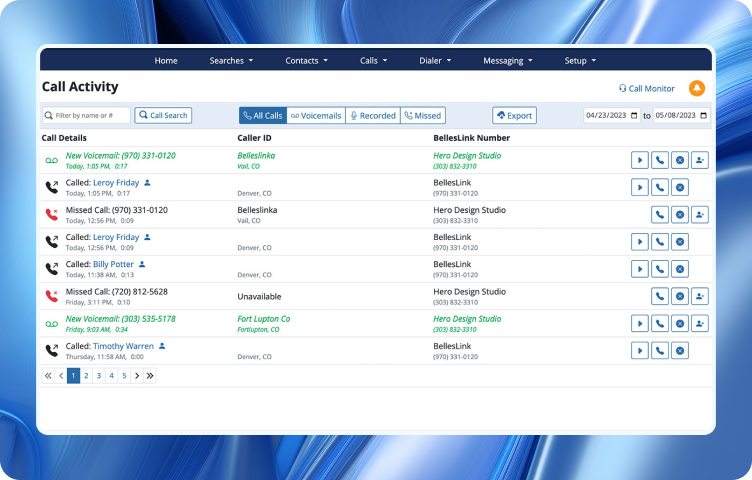
Most people search services only deliver search results to you in a spreadsheet format that is frustrating and difficult to use for contacting people. BellesLink is different. Our platform is built around a Contact Manager that organizes your search results into contacts so you can quickly and easily put the data to work. BellesLink gives you better people search results and a better way to work with them.
Create contacts from a Batch Search
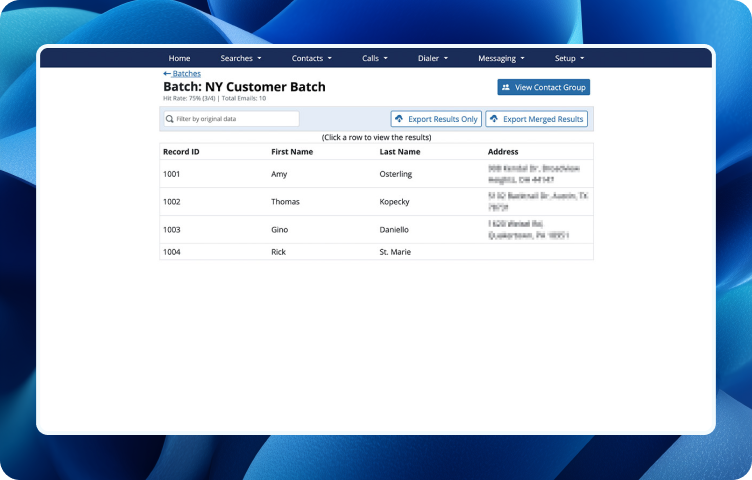
Batch Search appends current phone numbers, addresses, and emails to your list. Import your batch search results into the Contact Manager as a contact group to immediately begin working with them. All the names, phone numbers, addresses, and emails in your search results are neatly organized into individual contact records that will link all your work together. There’s no faster way to go from data to contact.
Create a contact from a People Search
BellesLink has multiple types of people searches you can use to enrich your contacts with additional phone numbers, addresses, emails, and more. With one click, you can create a new contact from a people search result. There’s no tedious copying and pasting to waste your time, BellesLink organizes all the information for you into a contact record. You can also save a search to an existing contact, like you would save a note.
Import your own list of contacts
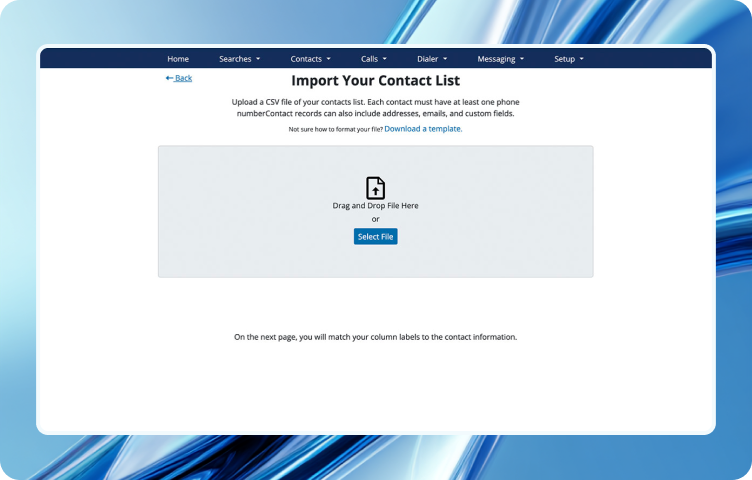
Contacts don’t always have to start from a search, you can import your own contact list. When you import a list into the Contact Manager you have full control over how your data is arranged in the contacts you create. You add custom fields, custom record IDs, and more. You can update your existing contacts by importing a list with new information.
Organize contacts with groups
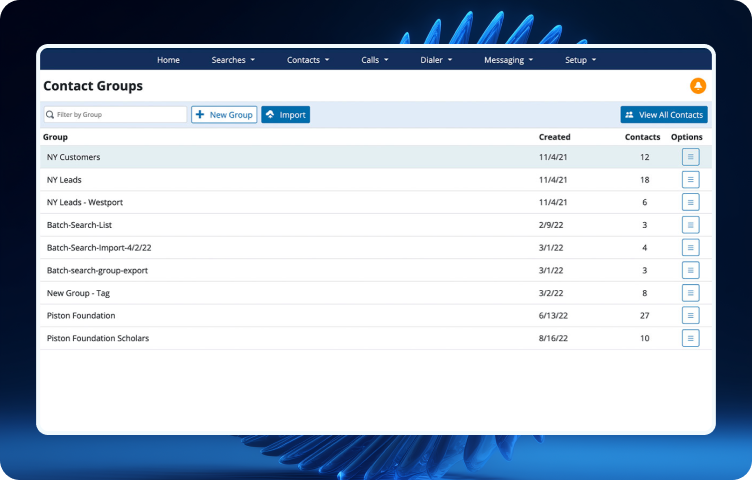
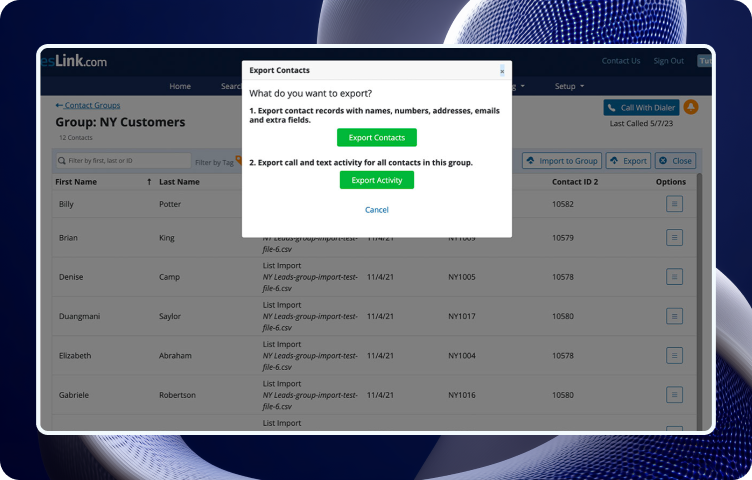
Groups are a simple yet powerful way to organize your contacts. When you import contacts from a batch search or list, they are automatically put into a group, but you can create as many groups as you need. You can create a group from a tag, from a contact search, or by assigning contacts. You can add or update contacts by importing to a group, and export a contact group to use the data somewhere else. Using groups helps you get the most from the Contact Manager.
Export your contacts, groups, and activity
The work you do in BellesLink can be exported. If you’ve created a contact group of your best leads or of customers who responded to a promotion, you can export that group in a spreadsheet format you can use with other business software. You can also export contact notes and activity. If you want to analyze your results, you can even export the activity for your entire account. BellesLink is a great tool for top-of-the-funnel sales work with your customers and we make it easy to export your contacts, groups, and activity.
Validate phone numbers
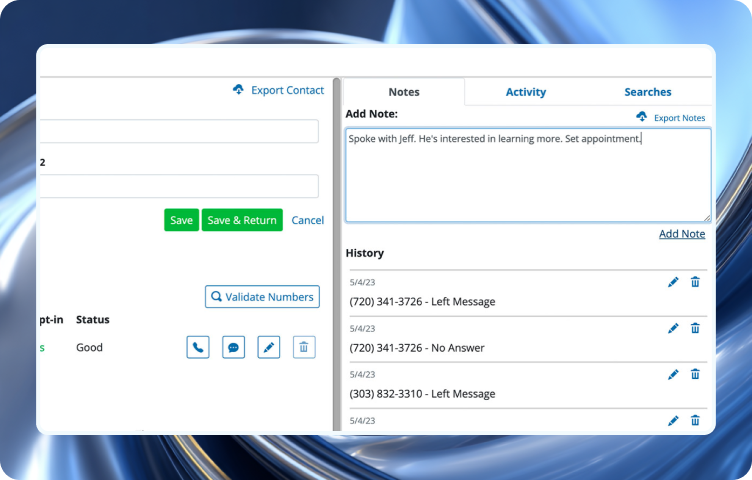
Calling disconnected numbers wastes your time. Validate the numbers in a contact record to perform a number scrub to determine if the number is disconnected and to lookup each numbers’ caller ID. Number validation is quick and it saves you time.

Make notes in your contacts
Someone once said, “Success is 1% inspiration and 99% taking good notes.” In a contact record you can make a note to keep track of work you’ve done, even while on a call. When you make a note in a contact, it shows everywhere notes are visible.
Add tags to organize your contacts
Tags are customizable labels, like hashtags, that you create for your contacts based on what’s important for you to know. Tags let you add unique labels to organize your contacts to match the way you work.

Set reminders on your contacts
When your work is finding and contacting people or customers there are always lots of ToDo items. Set task reminders to help you and your team manage your work. A reminder can be something general like; “import the new list”, or linked to contact for specific task like; “call Paul K. on Tuesday.”
Included with all BellesLink plans
Contact management is the key to getting the best results from your work. That’s why the Contact Manager is included free in all subscription plans. The BellesLink people search platform is built around the Contact Manager because it organizes your search results into contacts so you can quickly and easily put the data to work. To get started with BellesLink checkout our Basic, Pro, and Business plans.


